Docker- An Intro to Containerisation
Most of the time, while setting up any app, we manually install dependencies such as databases, ORMs, and other necessary tools.
But what happens if you work on the project for a few days and then don’t need all those dependencies anymore?
This becomes a problem, right? We need something that makes setting up our project easier and quicker.
That’s where Docker comes in. Docker helps to containerize any application.
What Does Containerize Mean?
Think about containers in general — they are used to wrap or package something.
In software terms, this “something” refers to the dependencies of your project. These dependencies include all the software or tools you use to create the project.
Now, how do these containers solve our dependency problem?
🧪 The Magic of Containers
Containers can run in any environment — be it Mac, Windows, or Linux.
They contain all the necessary elements to run an application, such as:
- The code
- The dependencies
Once created, a container can run independently on its own port, regardless of whether the host machine has those dependencies installed or not. It achieves this by pulling something called an image.
📦 What Is an Image?
An image is like a compact version of software (not exactly, but close enough for now).
Docker containers use these images to run applications.
🚀 Let’s See Docker in Action!
Here’s an example:
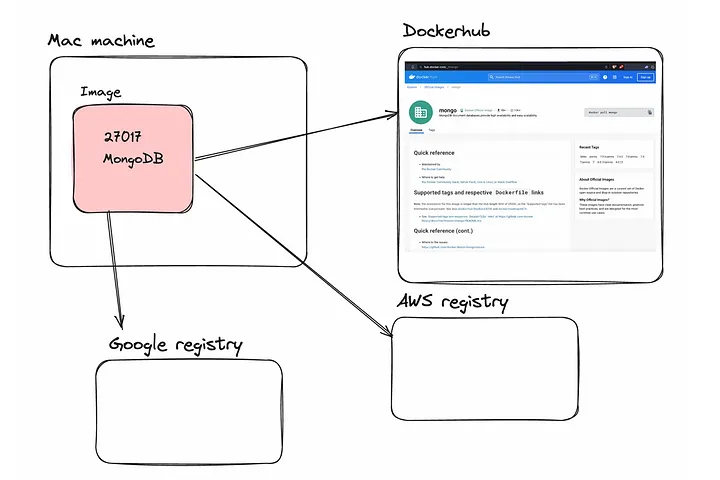
If you’re running MongoDB on your machine, it typically runs on the default address 27017.
But if you containerize your app and want to run MongoDB on a virtual port (instead of your system’s original port), you can run the following command:
docker run -p 27017:27017 mongo